Solve Disorganized Home Records in 5 Steps
 Elizabeth KiselevMay 7, 20268 min read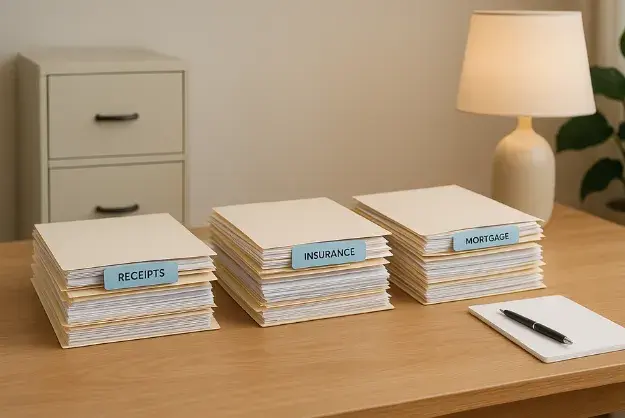
Almost everyone who decides to "finally get organized" follows the same script.
You set aside a Saturday. You pull every document out of every drawer, glove compartment, kitchen cabinet, and email folder. You sort them into piles on the dining room table: financial, insurance, property, warranties. You feel productive. You take a photo of the piles and send it to your spouse. You buy a label maker.
Then you scan a few things. You make folders called "Insurance" and "Property" in Google Drive. You name a few PDFs with that nice format you read about: DocumentType_YYYYMMDD_Description.pdf. You feel like you're doing it right.
By the end of the weekend, the dining table is clear and you have a working system.
By the end of the month, you've stopped using it.
This is the actual lifecycle of almost every home-organization project. And it doesn't fail because the steps are wrong. It fails because the fourth step, the one no one really plans for, is where the system meets reality. Once you understand what actually breaks, the fix becomes obvious.
The 5 Steps Almost Everyone Tries
If you've read any "organize your home documents" guide, the steps are familiar:
- Gather and sort every document in the house
- Digitize what makes sense to digitize
- Organize the physical originals that need to stay paper
- Build a home inventory of belongings
- Maintain it with a regular review
The first three steps are project work. They have a clear start and end. You finish them and feel accomplished.
Step 4 and Step 5 are operational work. They never end. And that's where the failure happens.
Why Step 1 (Gather and Sort) Almost Always Goes Fine
Gathering documents is satisfying. You can see the progress. The dining table fills up, the drawers empty out, and at the end of the day you have piles that didn't exist before.
A few things worth doing well at this stage:
- Check the non-obvious places. Glove compartments, safety deposit boxes, fireproof safes, and email archives hold more than people remember.
- Make broad piles, not perfect ones. Don't agonize over whether a receipt is "Financial" or "Maintenance." The categories will refine themselves once you see the volume.
- Throw things out as you go. Old utility bills, expired warranties, manuals for appliances you no longer own. Most homeowners discover their "important documents" pile is half deadweight.
The categories most people end up with (Financial, Insurance, Property and Legal, Warranties and Maintenance, Tax Documents, Personal) are fine. Don't overthink them.
Why Step 2 (Digitize) Mostly Goes Fine Too
Scanning is also satisfying. The scanner app on your phone makes it shockingly easy. Adobe Scan, Apple Notes, Google Drive scanner: all of them produce decent searchable PDFs in seconds.
The honest version of digital best practices is shorter than most articles make it sound:
- Mirror your physical categories in your digital folders so you don't have to learn two systems.
- Use a consistent naming convention. Something like
DocumentType_YYYYMMDD_Description.pdfworks because it sorts chronologically and is searchable. - Save things to cloud storage that backs up automatically: Google Drive, Dropbox, iCloud, OneDrive. Not your local hard drive.
- Use strong, unique passwords and two-factor authentication on whichever service you choose.
That's it. The rest of the digital-organization advice you've read (encryption tools, the 3-2-1 backup rule, separate scanning hardware) is fine but optional, and the homeowners who get hung up on it are usually the ones who never finish.
Why Step 3 (Physical Originals) Is Where Most People Already Stop
A handful of documents need to stay on paper, and we covered the full list in Digital, Paper, or Both? The Real Question Is What Belongs Where. The short version:
Keep on paper:
- Deed and title documents
- Original signed legal documents (wills, powers of attorney, trusts)
- Passports, birth certificates, Social Security cards
- One printed copy of your homeowners insurance declarations page
- An emergency contact list and shutoff valve diagram
- The most recent few years of tax returns
That's a fireproof box's worth of paper, not a filing cabinet. If your "physical originals" pile is bigger than a small lockbox, you're keeping things on paper that don't need to be.
A lot of "home organization" projects stall here, because the homeowner realizes the physical-records system they were going to build is actually tiny, and the real work is on the digital side.
Step 4 Is Where It Actually Breaks
Here's the step that kills most home organization projects: building a complete home inventory.
The advice is always the same. Go room by room. Photograph everything from multiple angles. Capture brand names, model numbers, serial numbers. Note purchase dates, prices, and current values. Record video walkthroughs. Don't forget small items: books, tools, kitchen gadgets, holiday decorations. They add up.
The advice isn't wrong. It's just enormous.
A typical home contains thousands of individual items worth documenting for insurance purposes. The Hippo Insurance survey found that 46% of homeowners had something unexpected go wrong in their home in the past year, and when claims happen, the documentation gap is usually exactly here. Receipts that should exist don't. Photos that should have been taken weren't. Serial numbers that should have been recorded got lost.
The reason this step fails isn't motivation. It's that "build a home inventory" is a project that doesn't end. You finish the kitchen and remember the garage. You finish the garage and the holiday decorations are in the attic. You finish the attic and you've bought three new things since you started. The cataloging task is bigger than any single weekend, and the moment you skip a weekend, the system stops being current, and a non-current home inventory is barely better than no inventory at all.
This is the same dynamic that kills home management spreadsheets around month four. The format requires perpetual manual upkeep, and humans are not perpetual manual upkeep machines.
Why Step 5 (Maintain It) Almost Never Happens
Step 5 is the silent killer. Every guide tells you to set up a quarterly review. Mark your calendar. Tie it to tax season. Set digital reminders.
In practice, almost nobody does this for more than the first cycle. Quarterly home record reviews compete with everything else in your life (work, kids, travel, weekends), and they always lose. Even people who maintain spotless personal finances rarely maintain spotless home records, because the upside of keeping records current is invisible until the moment you actually need them.
The painful part: by the time you need them, it's too late to update them.
A claim happens. A sale happens. An audit happens. A relative passes and you're the executor. Suddenly you need three years of accurate records and you have… the version you set up that one weekend, plus everything that's happened since living in your inbox.
What Actually Works
The five-step framework isn't wrong. It's just incomplete, because it treats home organization as a project when it's really an ongoing process. The fix is to redesign the system so the parts that fail (Steps 4 and 5) don't depend on your sustained discipline.
For the legal originals: Get them into a fireproof box this weekend. That's a real project, it ends, you're done.
For everything digital: Stop trying to build the system manually. The reason home record systems die isn't that homeowners are unmotivated. It's that filing each receipt, naming each PDF, and updating each spreadsheet row is friction the system can't survive. The systems that actually last are the ones where data flows in on its own.
This is what we built HouseFacts to do. You forward an email (a receipt, a warranty, a service confirmation) and the platform captures the vendor, the date, and the amount for you. You don't categorize. You don't name files. You don't maintain a spreadsheet. The home record stays current because keeping it current doesn't depend on you remembering.
For the home inventory specifically, HouseFacts handles the part that kills most DIY attempts: when something is bought, the receipt arrives in your email, you forward it, and it joins your home's record. No room-by-room photography weekend required to start: you build the record incrementally as your home generates documents naturally.
For the maintenance review: Stop scheduling quarterly reviews you won't actually do. The system either updates itself in real time or it doesn't.
The Honest Path Forward
If you have one weekend to spend on this, here's the honest sequence:
- Saturday morning: Pull together the legal originals. Put them in a fireproof box. Done.
- Saturday afternoon: Set up an email-first intake system for everything else. (Forward your existing receipts and warranties from email; bulk upload past PDFs.)
- Sunday: Take photos of high-value items room by room, not every item, just the ones that would matter in a claim. Upload them to the same place.
- Monday onward: Stop manually filing. Forward incoming bills, receipts, and warranties as they arrive. The system handles the rest.
The five-step framework most articles teach you isn't wrong, but it loads everything onto the homeowner. The version that actually works loads as little as possible onto the homeowner, because the homeowners who don't end up with abandoned systems are the ones whose systems don't require sustained effort.
Step 4 doesn't have to be the funeral. It just has to stop being your job.
Tired of organization projects that quietly die in month two? HouseFacts organizes every receipt, warranty, and service record from your inbox, so the system stays current without your discipline. Start your 14-day trial →
Or, dig deeper:
Keep reading
 organizationmaintenance
The 10 Numbers Every Homeowner Should Have Saved Before a Crisis Hits
Don't wait for a burst pipe or a midnight lockout to realize you're unprepared. Here are the 10 essential contacts every homeowner needs saved before an emergency strikes, plus a free printable template.
 organizationmaintenance
The Room-by-Room Spring Cleaning Checklist for Homeowners: Protect Your Home's Value
Spring cleaning goes beyond tidying up. Use this room-by-room home maintenance checklist to protect your home's value and catch costly repairs before they happen.
 organizationhousefacts
Beyond Checklists: How Premium Property Management Tools Let Your Second Home Thrive, Even When You’re Not There
Second homes come with double the maintenance and double the paperwork. Here’s how the right property management tools keep yours protected while you’re away.